Lighthouse Development is a UPS OnLine� Tools Approved Provider. For more information on our implementation of UPS OnLine Tools, see this URL: http://squirrelcart.com/ups_online_tools.php
Squirrelcart supports Real Time Rates, and Tracking via UPS.
UPS OnLine� Tools requires CURL OR fsockopen support, OpenSSL, and Expat.
- Open the UPS Shipping Courier record.
- Click the Enable UPS OnLine Tools� link
This link is located at the top of the record for UPS.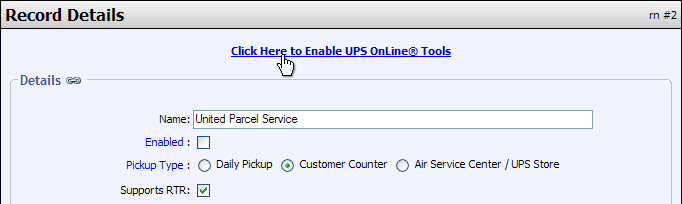
- Register with UPS
Follow the prompts in the forms, which will take you through the registration process. Registration is free. - Click Next on the Registration Successful screen, and you will be returned to the UPS Shipping Courier record
- You should now see a message that reads You are registered to use UPS OnLine Tools�
You can set the manner in which your packages are picked up using the UPS Pickup Type field on the UPS shipping courier record.
Rates vary depending on whether the destination address is residential or commercial. The customer has the option to indicate this on the shipping address form using the Address Is field. You can set the default value for this field on the Address Form Settings page.
© 2001-2010 Lighthouse Development. All Rights Reserved.